What is this?
The Organiser Centre is the first screen you see after signing in. It shows every event you are planning and anything waiting for you.
Why it matters
It answers “what do I do next?” at a glance: new quotes to compare, agreements to sign, payments to approve and deadlines coming up.
How to do it
Open it from your name
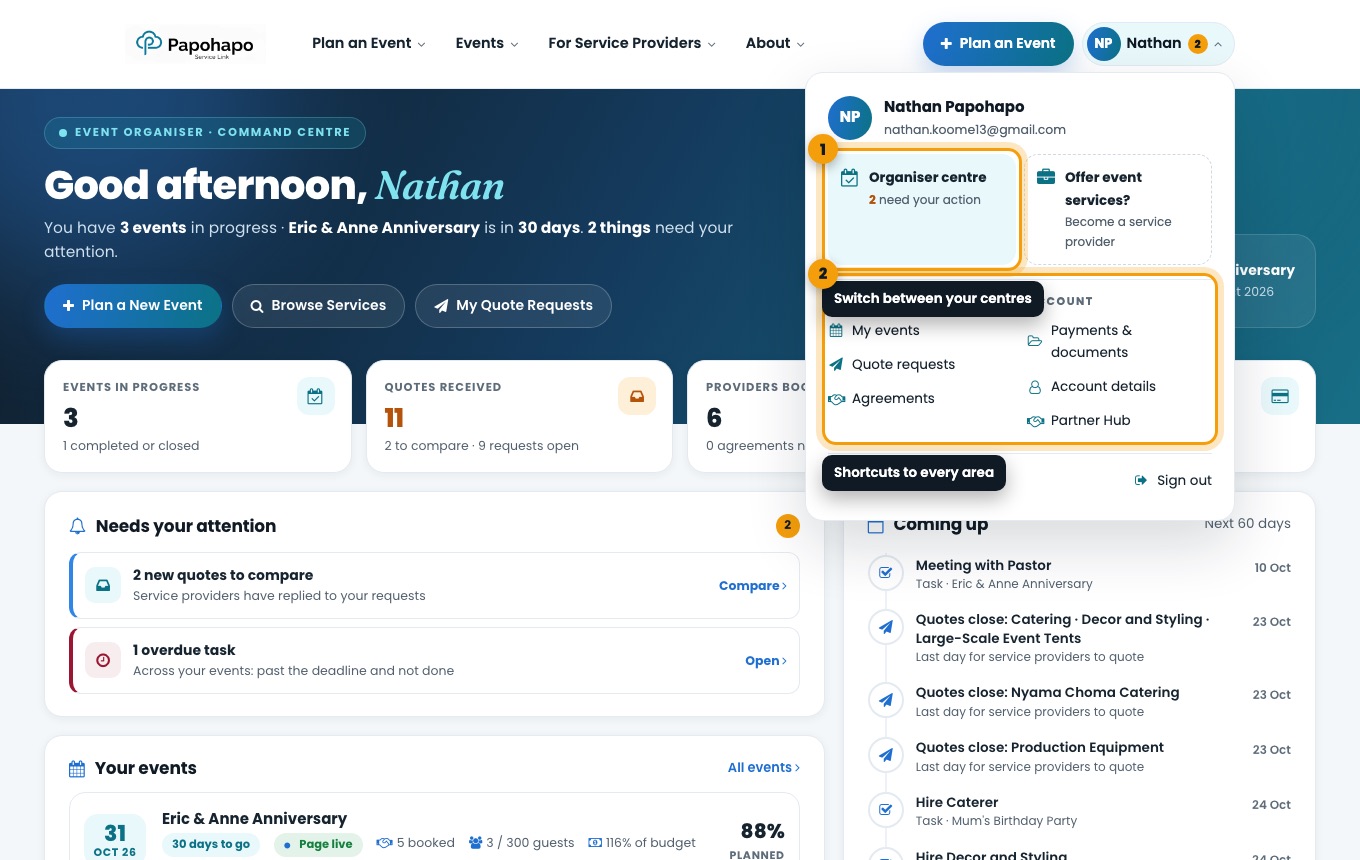
Choose your name at the top right and select Organiser centre, or go to papohapo.com/organizer-view.
The account menu switches between your centres and links to every area. Read the top of the page
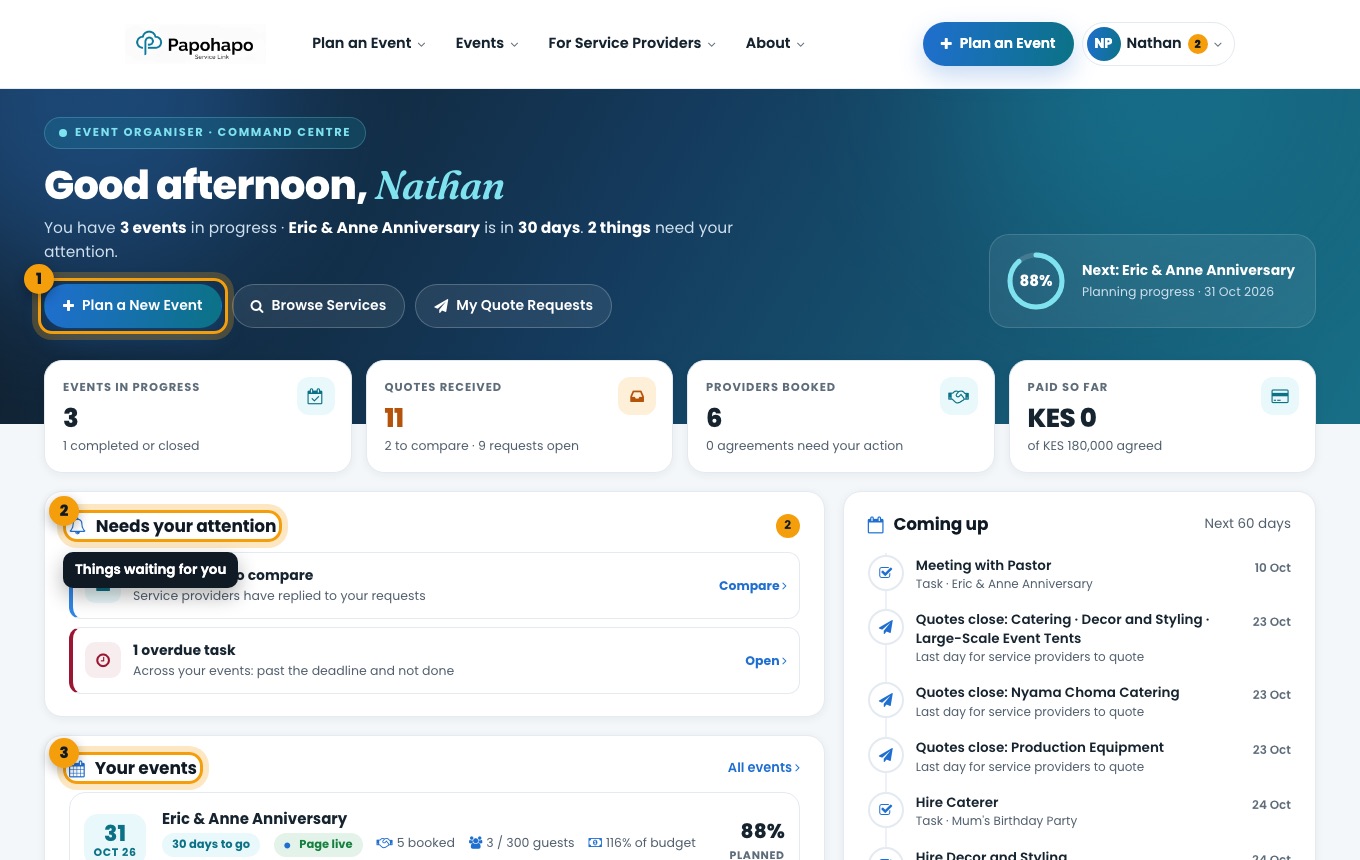
The greeting tells you how many events are in progress, when the next one is and how many things need your attention. Use Plan a New Event to start another plan.
Your Organiser Centre with its “Needs your attention” list. Work through “Needs your attention”
Each item has a button that takes you straight to the right place, for example Compare for new quotes or Open for an overdue task.
Open an event
Under Your events, select an event to open its event plan.