What is this?
Your budget is made of cost items. Each cost item belongs to a task and holds your estimate.
Why it matters
Estimating first tells you what the event will cost before you commit. When you sign an agreement, the confirmed amount and payments are tracked against the cost item.
How to do it
Open Budget
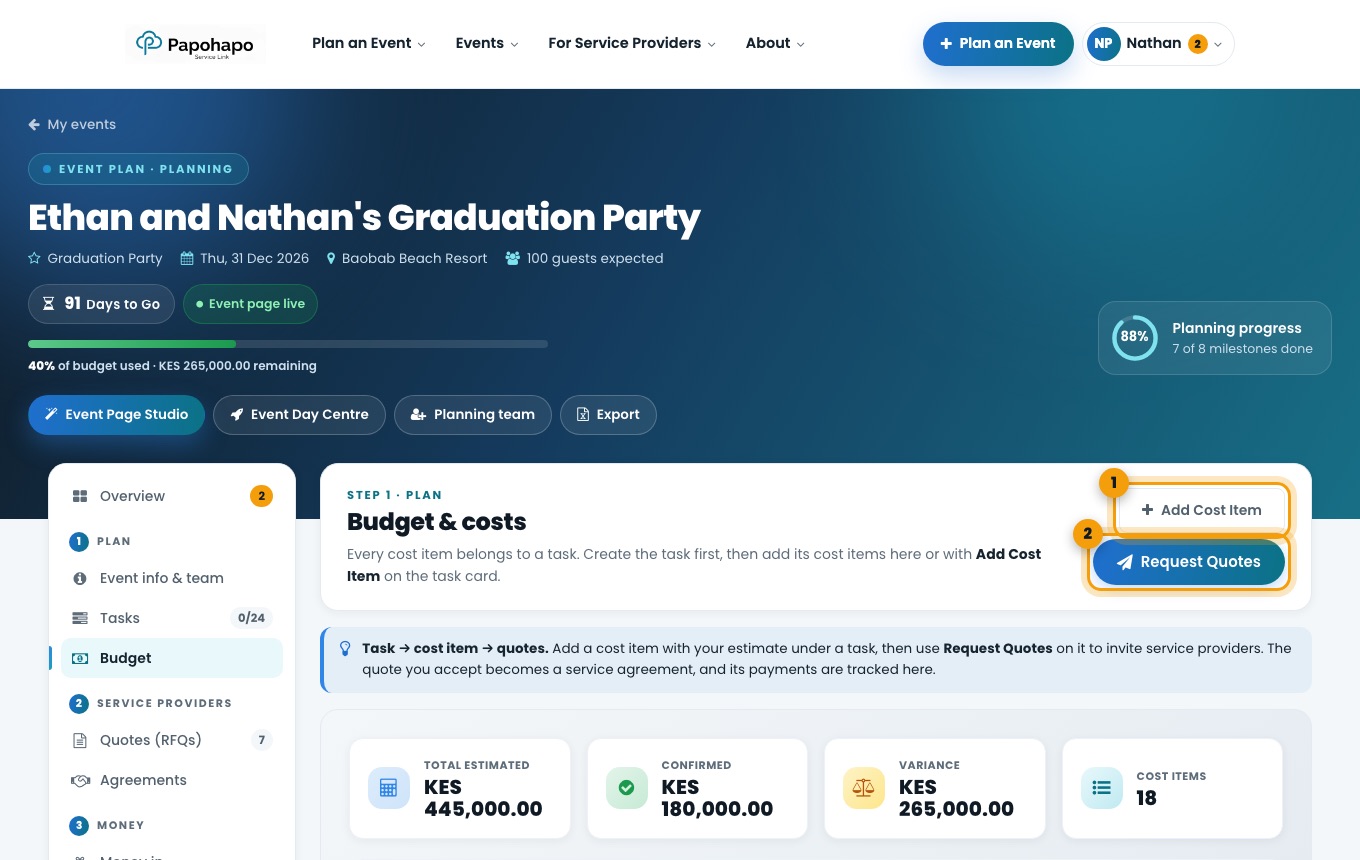
Choose Budget under Plan. The cards show your total estimate, confirmed amount, variance and number of cost items.
Budget & costs. Add a cost item
Choose Add Cost Item, pick the task it belongs to and enter your estimate.
Request quotes from a cost item
Choose Request Quotes to invite service providers to quote for that cost item.
Tip
Keep 10 to 15 percent of your budget unallocated for surprises.