What is this?
My account holds your personal details and any documents Papohapo shares with you.
Why it matters
Keep your name, phone and email current so providers and Papohapo can reach you.
How to do it
Open My account
Choose your name at the top right, then Account details or Payments & documents.
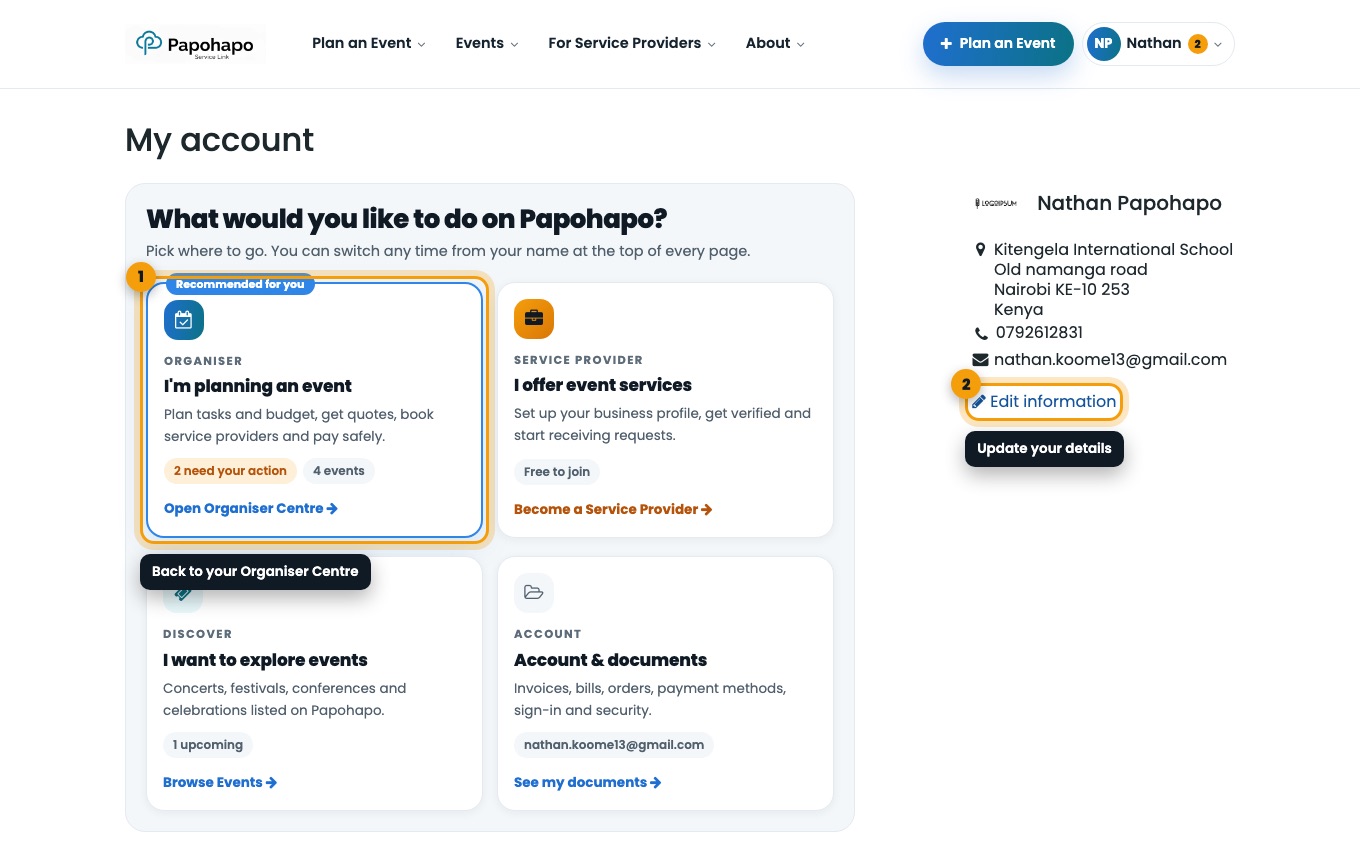
My account. Edit your details
Choose Edit information to update your name, phone and address.
Go back to planning
Choose I’m planning an event to return to your Organiser Centre.
Good to know
Payments to service providers are tracked in your event plan, not in /my.