What is this?
The Provider Centre is your business home on Papohapo.
Why it matters
It shows what to do next: new requests, quotes to finish, agreements to sign and money due to you.
How to do it
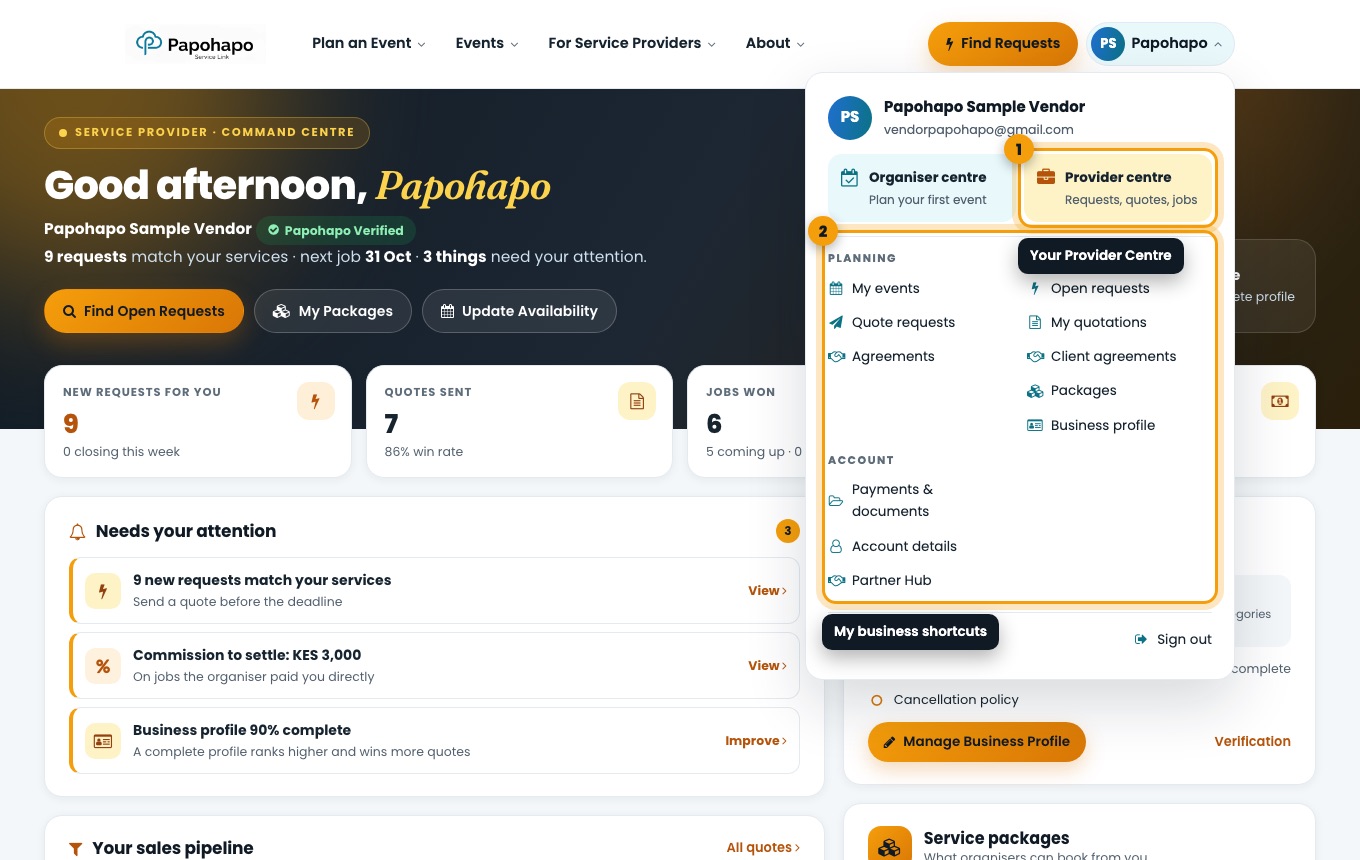
Open it from your name
Choose your name at the top right and select Provider centre, or go to papohapo.com/supplier-view.
The account menu with your business shortcuts. Read the headline numbers
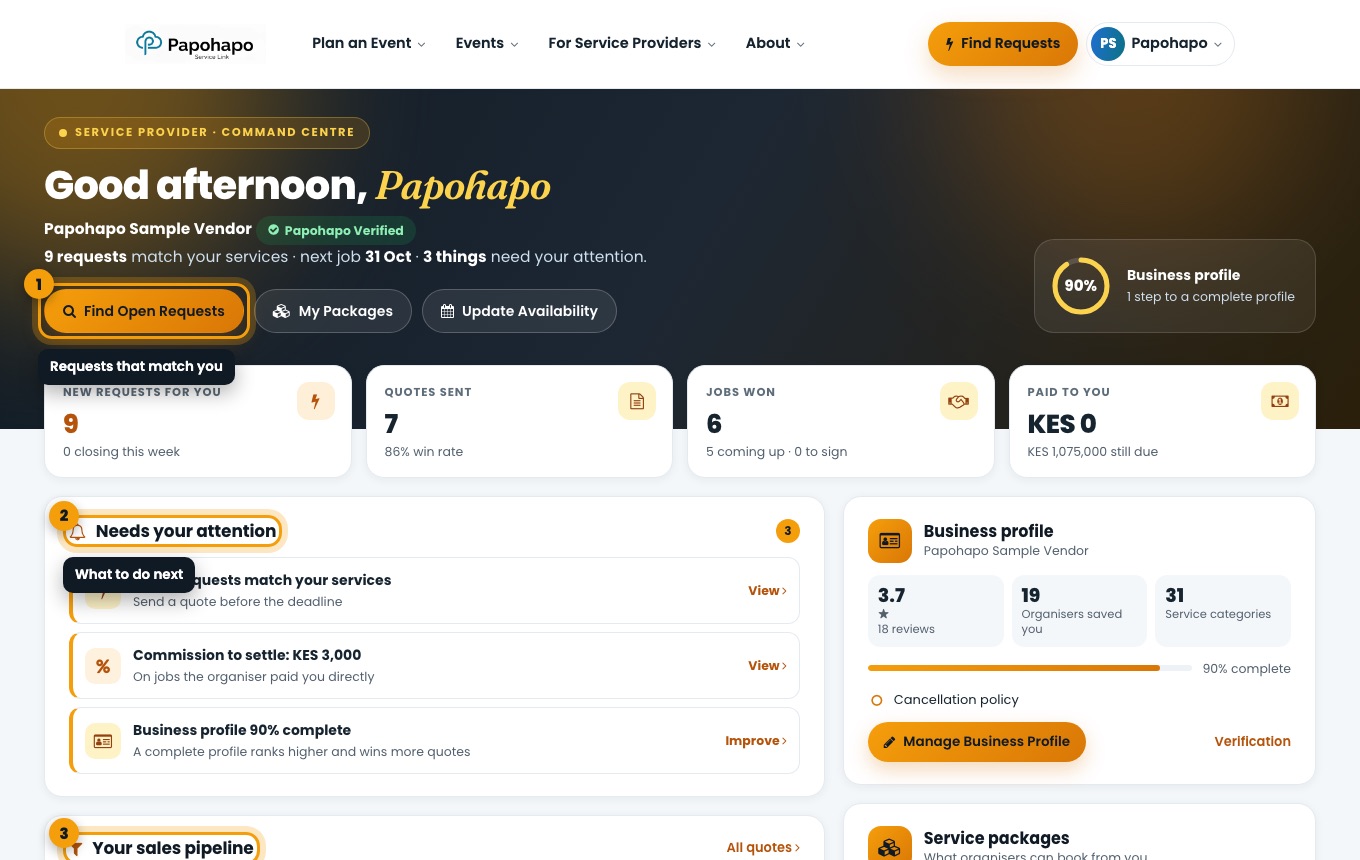
New requests for you, quotes sent, jobs won and money paid to you.
Your Provider Centre. Work through “Needs your attention”
Each item links straight to the right place, for example new requests, commission to settle or your profile.
Follow your sales pipeline
Open requests → quotes sent → shortlisted → selected → won.