What is this?
Your business profile describes your business: where you work, the services you offer, your story, photos, social links and policies.
Why it matters
A complete profile helps organisers choose you when they compare quotes, and it is needed for verification.
How to do it
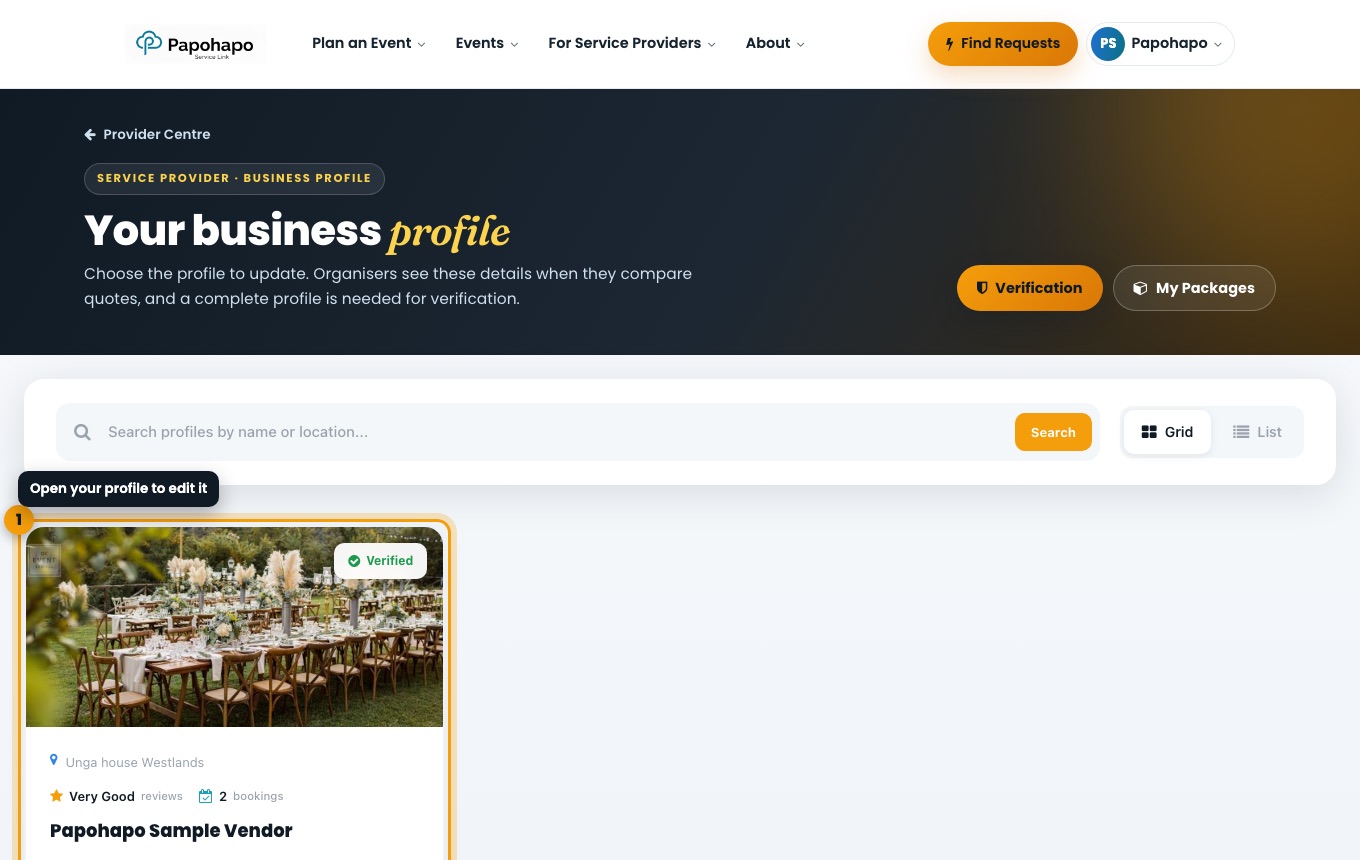
Open your profile
Choose Manage Business Profile in your Provider Centre, or Business profile in the account menu. Open your profile card.
Your business profile. Work through the sections
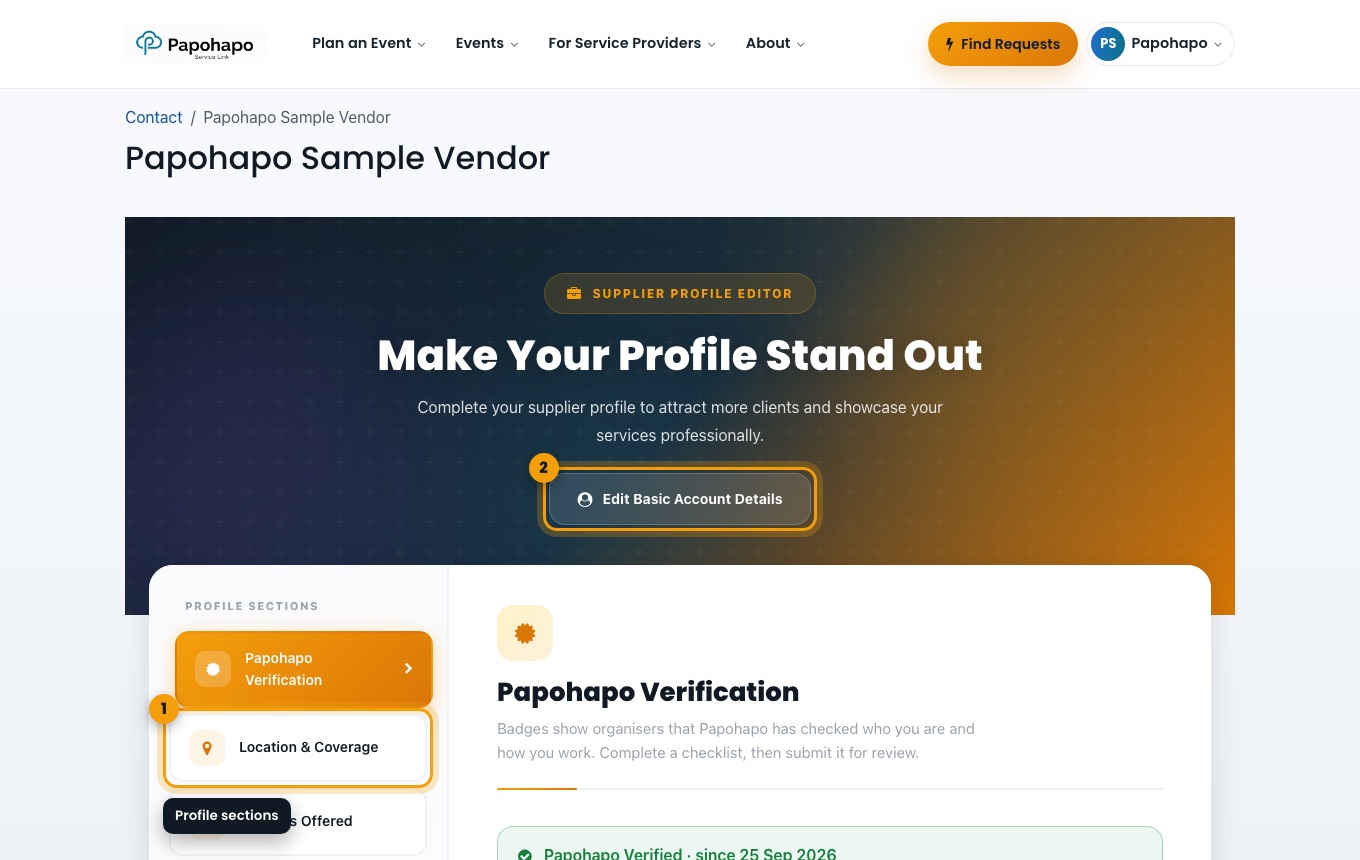
Use the sections on the left: Papohapo Verification, Location & Coverage, Services Offered, Business Profile, Extra Details, Social Links, KYC Verification, Policies and Consent.
The profile editor. Update your account details
Choose Edit Basic Account Details to change your name, phone or email.
Tip
Your Provider Centre shows how complete your profile is, and what is missing.