What is this?
Verification badges show organisers that Papohapo has checked who you are and how you work.
Why it matters
Organisers are more comfortable requesting quotes from, and paying deposits to, verified providers.
How to do it
Open Papohapo Verification
In your profile editor, choose Papohapo Verification, or Verification in your Provider Centre.
Complete a checklist
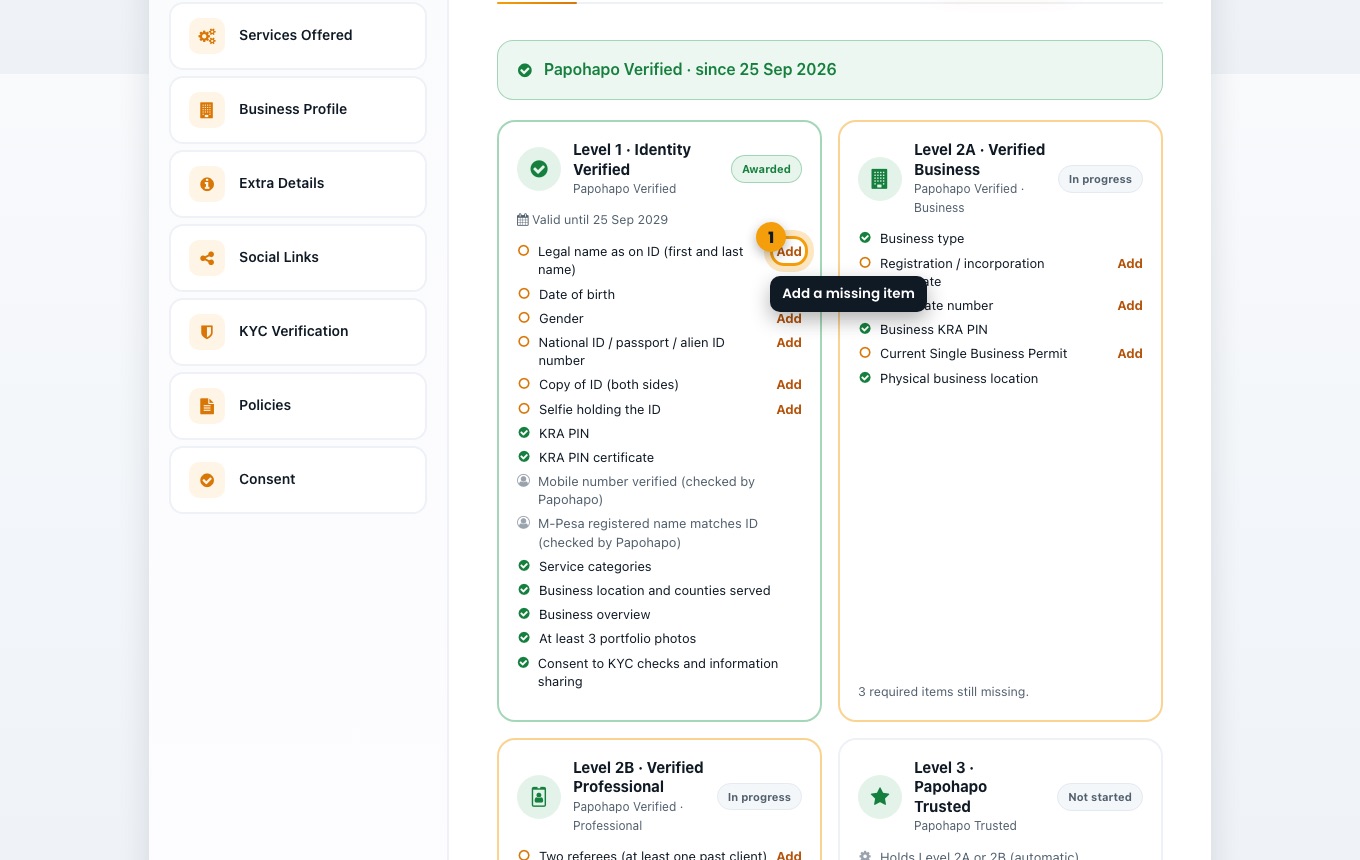
Each level lists what is needed. Choose Add next to a missing item to provide it.
The verification checklists. Submit for review
When a checklist is complete, submit it. Papohapo reviews it and you are notified of the decision.
Good to know
Level 1 · Identity Verified gives the Papohapo Verified badge. Level 2A (Verified Business), 2B (Verified Professional) and 3 (Papohapo Trusted) add more badges. Badges show a valid-until date.